

- English
 Español
 Português
 русский
 Français
 日本語
日本語 Deutsch
 tiếng Việt
 Italiano
 Nederlands
 ภาษาไทย
 Polski
 한국어
한국어 Svenska
 magyar
 Malay
Malay বাংলা ভাষার
 Dansk
Dansk Suomi
Suomi हिन्दी
 Pilipino
 Türkçe
 Gaeilge
 العربية
 Indonesia
 Norsk
Norsk تمل
تمل český
český ελληνικά
 український
 Javanese
 فارسی
فارسی தமிழ்
தமிழ் తెలుగు
 नेपाली
 Burmese
 български
 ລາວ
ລາວ Latine
 Қазақша
 Euskal
 Azərbaycan
 Slovenský jazyk
 Македонски
 Lietuvos
 Eesti Keel
 Română
 Slovenski

How Do Industrial Ethernet Switches Keep Harsh-Environment Networks Reliable?
In factories, warehouses, energy sites, and transport systems, the network is no longer “office IT.” It is part of production. When the network flaps, machines stall, data becomes unreliable, and troubleshooting turns into a blame game. This article breaks down the real-world problems that Industrial Ethernet Switches solve, the features that matter and a practical selection + deployment checklist you can use to reduce downtime and future-proof your system. You’ll also see common design patterns and a troubleshooting playbook you can hand to your maintenance team.
Table of Contents
- Outline at a Glance
- The Customer Pain Points Industrial Networks Face
- What Really Matters in Industrial Ethernet Switches
- A Practical Selection Checklist
- Common Industrial Topologies That Reduce Downtime
- Installation and Hardening Best Practices
- Troubleshooting Playbook for Real Sites
- Quick Comparison Table
- FAQ
Outline at a Glance
- Define the environment and risk: vibration, dust, temperature, electrical noise, and physical access.
- Map the traffic: control signals, cameras, sensors, HMIs, SCADA, maintenance laptops, and cloud links.
- Choose the right switch class: unmanaged, smart, managed, or rugged Layer 3—based on how critical uptime is.
- Design for failure: redundancy and ring recovery so one cable break does not stop production.
- Lock it down: segmentation, access control, port security, and safe remote maintenance paths.
- Operate like an industrial asset: monitoring, spares strategy, documentation, and predictable maintenance.
If you’re building or upgrading a system, it helps to think of Industrial Ethernet Switches as “network control hardware,” not generic IT gear. They are expected to run for years, in cabinets that get hot, near motors that generate noise, and in workflows where a few seconds of interruption can be expensive.
The Customer Pain Points Industrial Networks Face
-
Unexpected downtime from “small” failures
A single damaged cable, loose terminal, or miswired port can cascade into wide-area disruption if the network has no redundancy and no segmentation. -
Harsh conditions that office gear was not built for
Heat in enclosures, vibration on machines, dust, humidity, and unstable power can cause consumer-grade switches to fail early or behave unpredictably. -
Electrical noise and ground issues
Variable frequency drives, large motors, welding equipment, and long cable runs can introduce interference. Symptoms show up as intermittent packet loss, mysterious device dropouts, and “it works until it doesn’t.” -
Mixed traffic with different priorities
A plant may carry control data, alarms, video streams, and maintenance traffic on the same physical network. Without prioritization and segmentation, non-critical traffic can crowd out time-sensitive control messages. -
Growing security exposure
The moment you connect OT to remote maintenance, wireless bridges, or cloud dashboards, you increase the attack surface. Even “air-gapped” systems often aren’t truly isolated in daily operations. -
Slow troubleshooting and unclear ownership
When a line is down, IT, automation, and maintenance teams may have different tools and vocabularies. A switch that provides clear diagnostics, logs, and visibility can shrink time-to-recovery dramatically.
Many teams first discover these problems after a painful incident: a conveyor stops, a PLC times out, cameras freeze, or a SCADA screen goes blank. The right network design and switch features can turn those incidents into minor alerts instead of production stops.
What Really Matters in Industrial Ethernet Switches
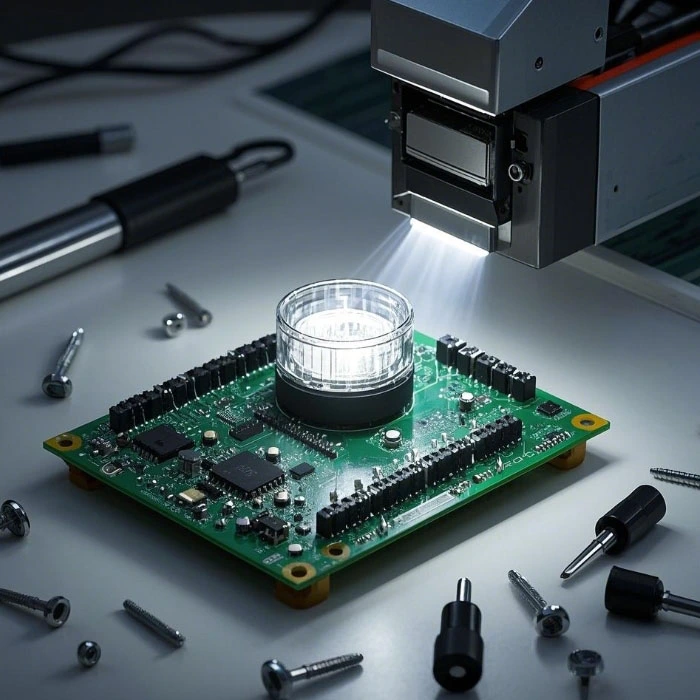
Not every site needs the most advanced configuration, but every site benefits from choosing the right fundamentals. Here are the capabilities that typically deliver the biggest reliability and maintenance wins.
| Feature | Why it matters | Practical tip |
|---|---|---|
| Rugged design | Survives heat, vibration, dust, and long duty cycles better than office devices. | Match temperature rating to cabinet conditions, not just ambient room temperature. |
| Redundancy support | Keeps the network up when a cable or device fails. | Use ring or dual-homing in critical zones; test recovery during commissioning. |
| VLAN segmentation | Reduces broadcast storms, isolates faults, and limits security exposure. | Separate control, video, and guest/maintenance access at minimum. |
| QoS / traffic prioritization | Protects time-sensitive control messages from bandwidth spikes. | Prioritize control/alarms above cameras and bulk transfers. |
| PoE (optional) | Simplifies deployment for cameras, APs, and sensors. | Plan PoE budget with headroom; label powered ports clearly. |
| Diagnostics & monitoring | Shortens troubleshooting and supports preventive maintenance. | Standardize on a monitoring method and keep a simple “known-good” config backup. |
| Security controls | Prevents unauthorized access and reduces lateral movement risks. | Use strong admin access, disable unused ports, and apply port security where feasible. |
A common trap is buying switches based only on port count and speed, then trying to “patch in” reliability later. If uptime matters, redundancy, segmentation, and diagnostics should be first-class requirements.
A Practical Selection Checklist
Use this checklist as a short “requirements sheet” you can share internally or with a supplier. It keeps decisions grounded in site reality. When working with vendors such as Shenzhen Greeting Electronics Co., Ltd., this kind of clarity helps you match the correct class of Industrial Ethernet Switches to the actual risk and workload.
- Environment: enclosure temperature, dust/humidity, vibration, and power quality.
- Ports and media: copper vs fiber, distances, and any EMI-heavy zones where fiber is safer.
- Criticality: which devices must never drop (PLC uplinks, safety systems, SCADA core).
- Topology: star, ring, redundant star, or segmented cells/areas.
- Management needs: do you need VLANs, QoS, remote monitoring, and event logs?
- Security posture: local-only, VPN-based remote access, or multi-site centralized oversight.
- Power strategy: dual inputs, UPS integration, PoE budget if used.
- Operations: spare units, configuration backups, labeling standards, and commissioning tests.
If you’re unsure whether you need unmanaged or managed switches, a simple rule often helps: If you can’t afford “guesswork” during an outage, you want management and visibility. The moment troubleshooting time becomes expensive, the extra control pays for itself.
Common Industrial Topologies That Reduce Downtime
Network structure is where reliability is either baked in or permanently missing. Below are patterns that repeatedly work in industrial sites, especially when paired with reliable Industrial Ethernet Switches.
-
Cell/Area segmentation
Divide the plant into “cells” (production lines, machine clusters, zones) and keep faults contained. Benefits include faster troubleshooting, reduced broadcast traffic, and clearer security boundaries. -
Ring in critical zones
A ring topology with fast recovery keeps the line running when a cable is cut or a port fails. It is popular for long conveyor systems, tunnel environments, and distributed production lines. -
Redundant uplinks (dual-homing)
Connect important cabinets to two upstream paths when possible. This reduces single points of failure and gives you more flexibility during maintenance. -
Fiber backbone with copper at the edge
Use fiber for long distances and noisy areas; drop to copper for short, local device connections. This design often improves stability in facilities with heavy motors or long cable trays.
One practical tip: don’t let the network grow “organically” without a map. Even a simple diagram per cabinet and a port label standard can save hours later.
Installation and Hardening Best Practices
A rugged switch helps, but installation quality still decides whether the system is stable. These are the habits that separate “good on paper” from “good in the plant.”
-
Control heat early
Switches in sealed cabinets can run hotter than you expect. Use ventilation, spacing, and cabinet layout to avoid hot spots. -
Prefer fiber in EMI-heavy areas
If you’ve seen intermittent link issues near drives or welding stations, consider fiber for the backbone or that specific segment. -
Use quality connectors and strain relief
Many outages are mechanical: vibration loosens a connector; a cable is bent too tightly; someone pulls a line during maintenance. -
Plan power stability
Sudden brownouts and noisy power rails can cause random reboots. Dual power inputs and UPS strategies can be a quiet hero. -
Standardize configuration
Keep a template for VLANs, naming, and port roles. Store backups and document changes. Consistency speeds troubleshooting. -
Harden access
Disable unused ports, use strong credentials, and limit who can change configurations. If remote maintenance is required, treat it as a controlled pathway.
These steps may feel “extra” during installation, but they are cheaper than emergency downtime. Think of it as insurance you only pay once.
Troubleshooting Playbook for Real Sites
When an incident happens, speed matters. This playbook is designed for technicians and engineers who need practical steps that work under pressure.
-
Confirm scope
Is the problem isolated to one machine, one cabinet, or multiple lines? A quick scope check prevents chasing the wrong root cause. -
Check physical layer first
Link LEDs, cable damage, connector seating, and power input are the fastest wins. Many “network mysteries” are physical faults. -
Look for patterns
Does it fail when a motor starts? During a shift change? After cleaning? Patterns often point to power noise, interference, or human activity. -
Validate segmentation
If a broadcast storm or loop occurs, segmentation limits the blast radius. If everything is flat, one issue can melt the whole site. -
Use logs and counters
Managed Industrial Ethernet Switches can expose error counters, link flaps, and event logs that tell you whether the failure is electrical, mechanical, or configuration-related. -
Restore service, then do root cause
In critical lines, restore first (failover, swap spare, bypass segment), then analyze. Document what you changed so the fix is repeatable.
A small operational habit that helps: keep one pre-configured spare switch for each critical model in the plant. Swapping a known-good unit is often faster than doing surgery in the middle of an outage.
Quick Comparison Table
This table summarizes common switch categories and where they typically fit. It’s not about “best,” but about “best match.”
| Switch type | Best for | Trade-offs |
|---|---|---|
| Unmanaged | Simple, stable edge connections with low complexity and minimal change. | Limited visibility and control; troubleshooting can be slower. |
| Smart / light management | Basic VLAN/QoS needs without full network operations overhead. | Feature depth may be limited; still requires some configuration discipline. |
| Managed | Critical lines where uptime, segmentation, logs, and redundancy are required. | Needs planning and configuration; best with documentation and templates. |
| Rugged Layer 3 | Large sites requiring routing, multi-zone separation, and stronger control of traffic paths. | Higher complexity; requires network design expertise. |
FAQ
Do I really need managed switches in a small factory?
If downtime is expensive or you need to separate traffic types (control vs video vs guest maintenance), managed switches are often worth it. The visibility and fault isolation can pay back quickly even in smaller sites.
Is fiber always better than copper in industrial environments?
Not always. Copper is convenient and cost-effective for short runs inside cabinets or clean areas. Fiber is especially useful for long distances and high-interference zones because it is immune to electromagnetic noise. Many reliable designs use a fiber backbone with copper at the edge.
How can I reduce the risk of a network loop bringing everything down?
Use clear topology rules, label ports, and apply loop-prevention or redundancy mechanisms in critical segments. Also avoid “temporary” cables that become permanent without documentation.
What should I prioritize if I’m upgrading an old network with frequent dropouts?
Start with physical layer quality (cables, connectors, grounding, power stability), then add segmentation and redundancy where outages hurt most. Upgrading switches without fixing power/noise issues can leave you with the same symptoms.
Can Industrial Ethernet Switches support cameras and access points with one cable?
Yes—models with PoE can power compatible devices while carrying data, which reduces wiring complexity. Just plan your PoE budget so the switch can power all connected devices with margin for peak draw.
Closing Thoughts
A reliable industrial network is built from two parts: smart design and the right hardware foundation. When you choose Industrial Ethernet Switches that match the environment, provide redundancy options, and deliver useful diagnostics, you’re not just buying ports—you’re buying calmer operations, faster recovery, and fewer surprises during production.
If you’re planning a new deployment or upgrading an existing system, contact us to discuss your application and options.
Send Inquiry



X
We use cookies to offer you a better browsing experience, analyze site traffic and personalize content. By using this site, you agree to our use of cookies.
Privacy Policy